
TARN is a traditional roguelike game being actively developed as a passion project. Retrieve the mythical Amulet of Yendor from the bowels of the Fog of War and return with it alive to the surface!
TARN is a traditional roguelike game being actively developed as a passion project. Retrieve the mythical Amulet of Yendor from the bowels of the Fog of War and return with it alive to the surface!
Move around the dungeon with the mouse, the vi-keys, or keypad. You can also examine features in the dungeon by hovering over them with the mouse or by pressing 'Enter' and moving the cursor. Other commands are listed in the help menu, accessed by pressing '?'.
Your goal is to reach depth 26, obtain the Amulet of Yendor, and ascend the upstairs on depth 1 -- all without dying in the process.
01. Choosing your class
02. Turn-based gameplay
03. Examining features
04. Health, nutrition, and experience
05. Detection range, stealth, and lighting
06. Taking inventory
07. Affinities and affinity trees
08. Exploring the dungeon
09. Progressing your character
10. Searching for secrets
11. Puzzles and rewards
12. The dungeon overview
13. Unidentified items
14. Melee weapons and throwing weapons
15. Armor and rings
16. Wands, relics, and charms
17. Scrolls and potions
18. Recruiting and controlling allies
19. Regional difficulty
20. Biomes, temperature, and humidity
21. Ascension (winning the game)
22. Mastery, feats, and conducts
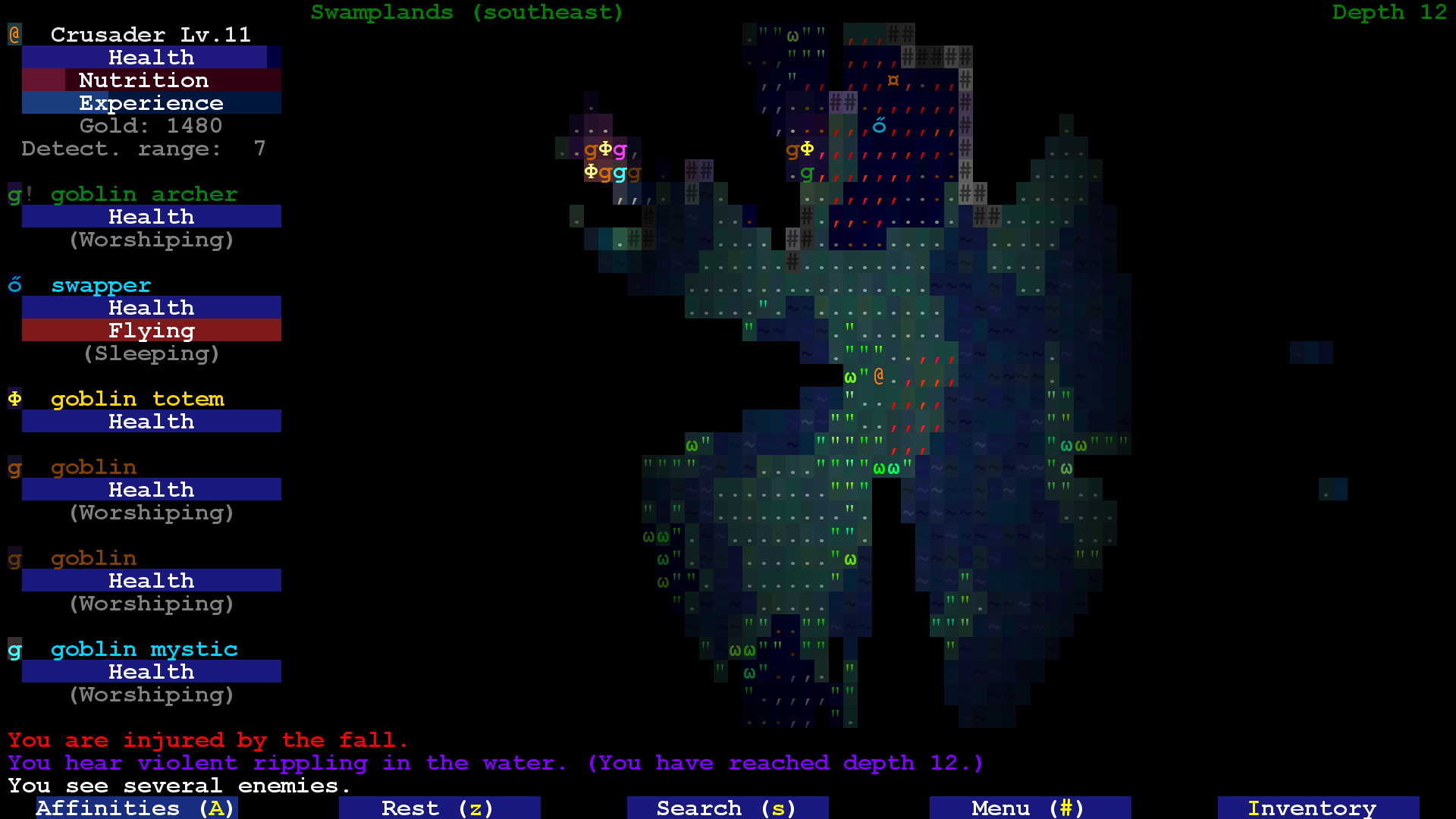
Crusaders have a lot of ways to deal with the various evils of the world. They can utilize blessed items more effectively, especially against demonic and undead monsters.
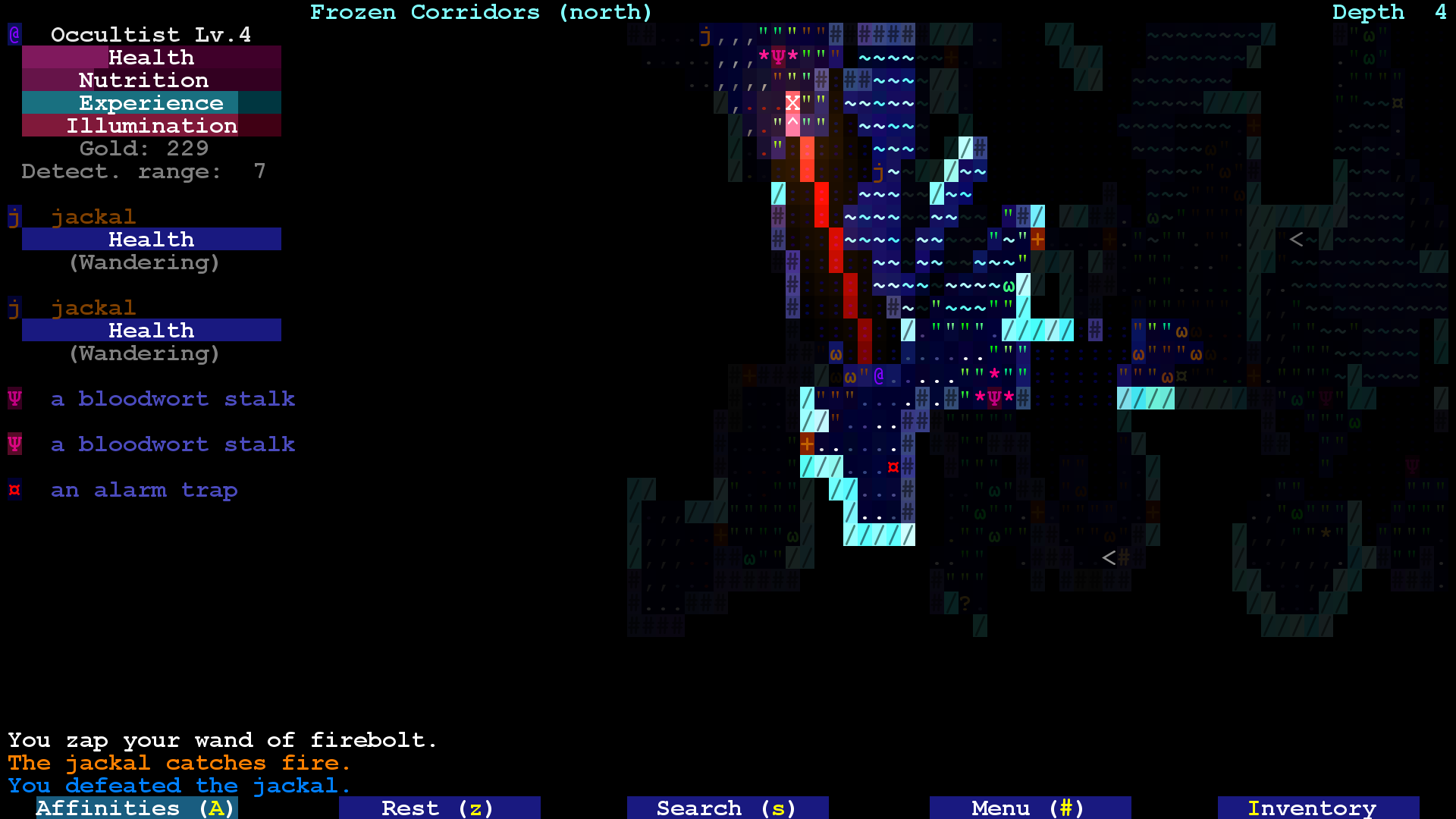
Occultists combine stealth with magic. Focusing on sneak attacks with daggers and magic attacks with wands, being able to effectively swap between the two styles is a necessity for this class.
Tinkerers are able to salvage weapons and armor and craft new ones from their metal scraps. They also start with a pickaxe, enabling them to dig through levels.
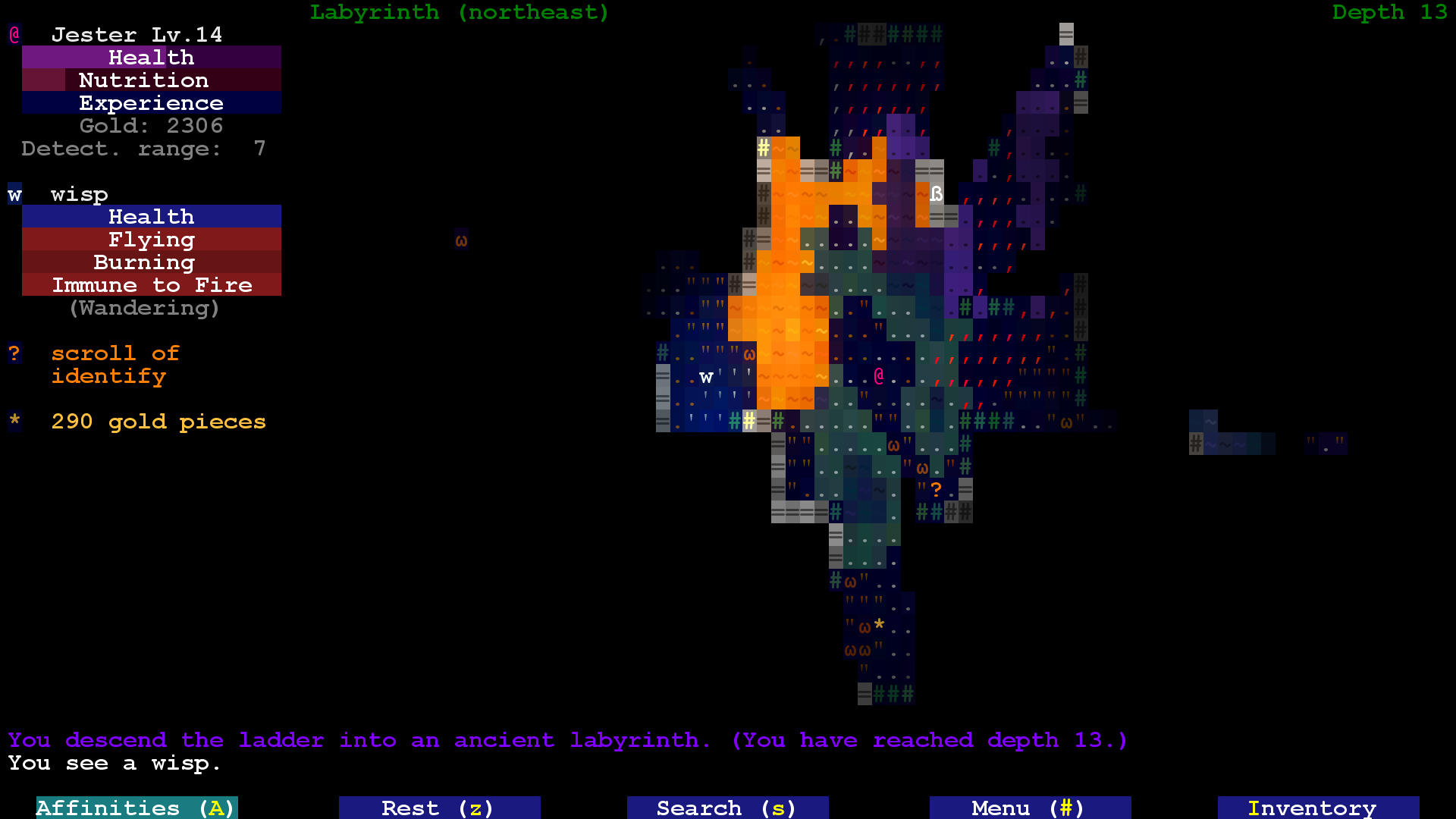
Jesters provide the most adaptability in terms of weapons. Many of their affinities allow you to transition between melee, ranged, and magic attacks fluidly with damage or defense bonuses.
Dragoons specialize in dealing with enemies quickly and without remorse. In addition to their affinities with both melee and ranged weapons, they can persist in combat through killstreaks and are stoic against spellcasters.
Artificers excel in all forms of magic. They can salvage a variety of magic items and craft new ones from their magic remains, can utilize wands more effectively, and can even construct temporary magical allies to aid them.
For players familiar with Brogue, the Deprived offers the most similar play experience -- they do not have access to any affinities and become extremely reliant on the items they find in the dungeon.
Being a traditional roguelike, TARN is turn-based. You can spend as much time as you like analyzing a situation in order to take the best action on your turn, and monsters will not take any action until you commit to your own action.
Most monsters can move or attack once every time you move or attack. However, some monsters can naturally move or attack more quickly or slowly. Some monsters can even cast spells that will speed up their allies or slow down their enemies. Some items you find in the dungeon will allow you to move faster or make your enemies move slower.
When you hover over terrain, foliage, gases, items, or monsters, you will view a short description of it.
Hovering over an item also details additional relevant information, such as its damage, defense, accuracy bonus, evasion bonus, recharge rate, and other special properties.
Hovering over a monster reveals combat information, including its percent chance to hit you, the damage it will deal when it hits, and the minimum number of hits it needs to kill you. Similarly, your percent chance to hit the monster, the damage you will deal to it on hit, and the minimum number of hits you need to kill it will also be shown. All other special abilities of the monster will also be appended.
You can also hover over yourself to view your current and maximum health, nutrition status, experience and affinity progress, and detection range.
You start the game with 30 health points, and you die when they drop to zero. If you are injured, your lost HP will slowly regenerate over the course of 300 turns.
You start the game with full nutrition. Your nutrition will slowly drop as you take turns, and when it is depleted, you will begin to starve to death. It is recommended to always eat food when you first go hungry, after about 1800 turns.
You start the game at experience level 1. Experience points are acquired by defeating enemies, and acquiring enough experience points rewards you with a level up. When you level up, your maximum HP will increase by 2, you will hit enemies more frequently, and enemies will miss you more frequently.
Some items you find in the dungeon will allow you to regenerate faster, lose nutrition slower, or gain more experience.
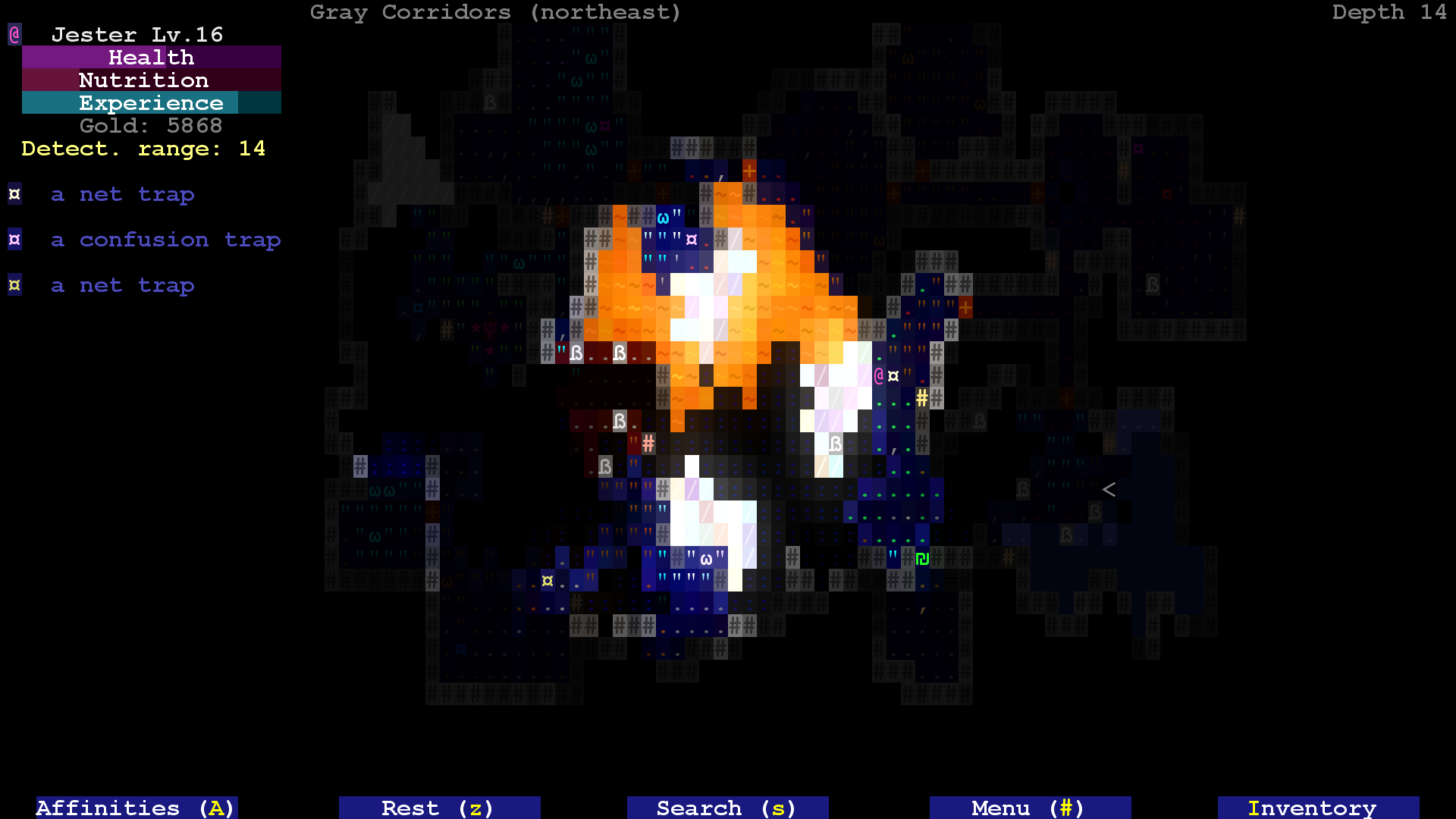
You start the game with a base detection range of 7 spaces. Monsters in direct line-of-sight within this range have a 25% chance per turn to become hostile towards you. You can utilize foliage and doors to break line-of-sight.
You can see faraway monsters even if they are not in your detection range. However, as you go deeper in the dungeon, you will gradually see less farther away. Eventually, the dungeon will become so dark that you cannot see all monsters within your detection range. Torches and other sources of light will appear more frequently in the deeper parts of the dungeon.
Physically attacking a monster whom has not yet noticed you will result in a sneak attack, which deals triple damage and never misses.
Wearing heavy armor increases your base detection range. Standing in a lit area doubles your detection range. Waiting in place cuts your detection range in half.
You can toggle whether or not your detection range is displayed by clicking the [Menu] button with the mouse and then clicking the "toggle detection range" option or by pressing ']'.
You can open your inventory by right-clicking with the mouse or by pressing 'i'. Hovering over an item with the mouse or holding shift and pressing its key details all information about it that is known to you. Clicking the item or pressing its key enables you to use the item in various ways:
[drop] Remove an item from your inventory by placing it on the ground.
[throw] Throw an item in a specified direction and distance. Only throwing weapons and potions have effects when thrown.
[apply] Eat food, read a scroll, drink a potion, zap a wand or relic, or invoke a charm.
[equip] Equip a melee weapon, a suit of armor, or a ring. These items only have effects while equipped. You can equip two rings at once.
[remove] Unequip a melee weapon, a suit of armor, or a ring.
[call] Give an item a name. Useful for leaving notes. (Does not cost a turn.)
[Relabel] Change the key assigned to an item. (Does not cost a turn.)
Instead of just opening your inventory, you can also press the key assigned to drop/throw/etc. an item. This will open your inventory while prompting you for an item to perform that action on. Similarly, hovering over an item with the mouse or holding shift and pressing its key details all information about it that is known to you. Clicking the item or pressing its key enables you to drop/throw/etc. the item.
You can carry up to 26 slots of items. Stacks of throwing items take up one slot; all other items take up one slot per their quantity.
Your character has access to four affinity trees, determined by your chosen class. You can open the affinities menu by clicking the [Affinities] button with the mouse or by pressing capital 'A'. The Deprived does not have access to this menu.
You can move around the menu with the mouse, the vi-keys, or keypad. Hovering over an affinity views its description and whether or not you can unlock it. To unlock an affinity, you need to spend one affinity point and have all of its prerequisites unlocked. Clicking with the mouse or pressing 'Enter' unlocks it. (Does not cost a turn.)
All classes have one or two affinity trees reserved for some kind of weapon. Affinities unlocked in those trees only have an effect while a melee weapon is equipped, when a throwing weapon is thrown, or a wand is held or zapped.
The Tinkerer and Artificer classes have an affinity tree dedicated to salvaging and crafting items. You can salvage an item in the inventory by clicking the [Salvage] button or by pressing capital 'S'.
You gain one affinity point for every two level ups. At level 25, you will gain your last point; thus over the course of the game you will have 12 points total to spend on your affinity trees.
The subterranean world of TARN is infinite. While levels in most other traditional roguelikes contain one upward staircase and one downward staircase to two neighboring levels, levels in TARN can have even more than that. A core component of the game's design is identifying what levels are worth exploring when multiple staircases are presented.
Most depths have levels seperated by walls of rock. To travel to a level horizontally to your own, you will have to take a staircase to a level above or below you, then take another staircase to the destination level, hoping they all connect together. Alternatively, pickaxes and other such items enable you to dig through walls, although some walls are made of dense rock and are unbreakable.
Certain depths have levels which are entirely interconnected and do not require stairs to travel horizontally between them. A few of those depths might suggest more heavy exploration to find the upstairs or downstairs.
Each self-contained level of the dungeon contains one of three items: a kind of food, a scroll of upgrade, or a potion of healing. It is recommended to always explore levels at least until you find one of these items.
Any kind of food restores your nutrition by 1800 turns. Some food you find deeper in the dungeon will have additional effects that only occur when you eat them after becoming hungry.
Scrolls of upgrade are one of the most important items you will find in the dungeon. Reading it allows you to permanently make a single item more powerful -- weapons will increase in both damage and accuracy, armor will increase in defense and evasion, rings will increase in effect, wands and charms will recharge faster and increase in effect, and relics will be granted additional charges.
Potions of healing fully recover you to full health and cure you of most harmful debuffs -- essential in dire situations.
As you travel deeper in the dungeon, secret doors and hidden traps will appear (or not appear!) more frequently. You cannot move through secret doors until they are discovered, although all other monsters can. Similarly, you will not be warned of moving onto hidden traps until they are discovered, but all other wandering monsters will tread around them.
You can search by clicking the [Search] button with the mouse or by pressing lowercase 's'. Searching once or twice is quite weak, but if you search five times in a row, you will reveal all secrets within a large radius around you. Some items will allow you to search or discover secrets more effectively.
Some levels contain special rooms or areas conveyed by brick walls, statues, or carpet. These can either be puzzle areas, which require you to use an item in some specific way in order to solve them, or reward areas, which are typically accessed by solving the puzzle. Usually, the level will contain the item necessary to solve the puzzle. Otherwise, you might have to get more creative.
A common kind of reward room in the early floors of the dungeon is known as a library. These rooms have several items sitting atop altars with cages hanging above them. When you take one of the items, all of the other items will be locked away until you place the item back on its respective altar.
The dungeon overview is a big picture representation of every depth and level you have explored thus far. You can open the dungeon overview by clicking the [Menu] button with the mouse and then clicking the "open dungeon overview" option or by pressing capital 'O'.
You can move around the overview with the mouse, the vi-keys, or keypad. Hovering over a level details some relevant information about it, such as its biome, temperature, humidity, and any interesting features it contains.
To view an upper depth, left-click with the mouse or press '<'.
To view a lower depth, right-click with the mouse or press '>'.
Most items in the dungeon are found unidentified -- their magical properties will be hidden unless they are used in some way or discovered through other means. A potion of magic detection will reveal whether or not each item in your inventory has positive or negative properties.
All weapons, armor, rings, and charms may be found upgraded. You may prefer to hold off on reading your scrolls of upgrade until you find an item that has already been upgraded a few items.
Melee weapons, armor, and rings may be found cursed. Cursed items cannot be unequipped unless the curse is broken by a scroll of uncurse or other means, and they usually have negative effects while they are equipped.
Wands, relics, rings, scrolls, and potions have an appearance that randomizes each game. Once you have identified the effect given a certain appearance of item, you will remember it for the rest of the game. You can view what effects you have discovered thus far by clicking the [Menu] button with the mouse and then clicking the "list discovered items" option or by pressing capital 'D'. This also shows what effects are considered positive or negative relative to you and the chances of some unidentified item having that effect.
Melee weapons are physical weapons. You attack with them by moving into a monster while they are equipped. Upgrading a melee weapon increases its damage and accuracy bonus.
Throwing weapons are also physical weapons. You attack with them by throwing them towards a monster. Unupgraded throwing weapons have a chance to break on use. A stack of throwing weapons takes up only one slot in the inventory. Upgrading a throwing weapon increases its damage and accuracy bonus and reduces its break chance. Upgrading a throwing weapon also upgrades every throwing weapon in the stack.
Physical weapons that hit a monster have a 5% chance to perform a critical hit, which deals triple damage. (Does not stack with sneak attacks.)
Armor reduces the physical damage you take from attacks while it is equipped. Upgrading a suit of armor increases its defense and evasion bonus.
Rings confer passive bonuses while they are equipped. Upgrading a ring increases the potency of its effect. You can equip two rings at once. The effect of two rings is equivalent to the effect of one ring that has the combined upgrade level of the two rings.
Wands are magic weapons with various effects. You zap a wand by applying them in a chosen direction. Zapping a wand consumes a charge and sends a magical projectile in that direction, and it will take at most 250 turns to restore one of its charges. The projectiles ignore monsters' evasion, although they can be reflected. Upgrading a wand increases its damage or the potency of its effect and its recharge rate.
Relics are also magic weapons with various effects. You zap a relic by applying them in a chosen direction. Zapping a relic consumes a charge and sends a magical projectile in that direction, but unlike wands, they do not recharge over time. The projectiles ignore monsters' evasion, although they can be reflected. Upgrading a relic adds some number of charges to it.
Charms are invokable items with various effects. You invoke a charm by applying it. Invoking a charm sets its charges to 0%, and it will recharge to 100% over the course of some number of turns. Different kinds of charms recharge at different rates. Upgrading a charm increases the potency of its effect and its recharge rate.
Scrolls are readable items. You read a scroll by applying it. Reading a scroll consumes it and activates its effect. Some scrolls may prompt you to select an item to use them on.
Potions are drinkable items. You drink a potion by applying it. Drinking a potion consumes it and activates its effect. You can also throw them in a chosen direction. Generally, positive potions should be drank, and negative potions should be thrown.
Not all monsters reserve their hostility towards you. Some will want to become your ally. Monsters held captive by thick iron manacles can be freed by moving into them.
Allies will normally follow you around and attack enemies and fetch items as they see fit. If they are injured, they will flee from enemies. You can change the behavior of your allies by clicking the [Menu] button with the mouse and then clicking the "interact with companion" option or by pressing capital 'P'.
You can adjust which ally with the mouse, the vi-keys, or keypad. Hovering over an ally reveals some information about it. Clicking with the mouse or pressing 'Enter' selects it and enables you to change its behavior in various ways:
[follow me] Default ally behavior. Good for melee units.
[stay close] If the ally is far away from you, it will prioritize moving closer to you. Good for ranged units or spellcasters.
[Fetch items] If you see an item and the ally is not carrying anything, the ally will prioritize picking up the item and bringing it back to you.
[wander around] The ally wanders around randomly, ignoring monsters and items.
[Run away] The ally flees from enemies, similarly to when they are injured.
[Wait there] The ally stays at its current position.
The more turns to spend on the same depth, the higher regional difficulty will accumulate. After about 500 turns, an otherworldly force of darkness will begin consuming the floor. Then, your vision will slowly deteriorate and periodic monster generation will slowly increase over the course of the next 500 turns. Fortunately, certain depths with an emphasis on horizontal traversal allow you more turns before regional difficulty mechanics start to kick in.
Regional difficulty accumulates on every depth you have reached thus far, although it will happen slower on floors deeper than the floor you are currently on.
There are several types of underground biomes, and each one has a particular terrain generation, temperature, humidity, and monster generation. Biomes will variate slightly as you travel through the world, although a few depths consist only of predetermined biomes.
Temperature affects freezing terrain, melting terrain, and monster generation. In cold environments, sheets of ice will generate, liquids will freeze, and cold-blooded monsters will not generate. In temperate environments, ice will melt, and more varieties of monsters will generate. In warm environments, ice will melt faster, and ice-related monsters will not generate.
Humidity affects fire and gas persistence, liquid and chasm generation, and monster generation. In dry environments, fire dissipates more slowly, gas dissipates more quickly, liquids do not generate, chasms generate more frequently, and water-related monsters will not generate. In wet environments, fire dissipates more quickly, gas dissipates more slowly, liquids generate more frequently, and fire-related monsters will not generate.
The Amulet of Yendor is the ultimate artifact of the game. Although it does next to nothing on its own, it is necessary that you obtain it in order to win. It generates only in the center of the Fog of War. Once you obtain it, you must find an exit out of the dungeon.
Ending the game by going through the upstairs on the first floor is called an Ascension and is considered the normal win condition. Fortunately, one of the limited effects of The Amulet of Yendor is that it slightly reduces the regional difficulty of floors above the Fog of War.
For the truly skillful, there exist depths below 26 with their own set of unique monsters and environments. Ending the game by going through a portal on the final floor is called a Mastery and drastically increases your ending score.
Feats are objectives that serve as extra per-game accomplishments, and each one noticeably increases your ending score. Once you achieve a feat, it is permanently logged for your current game.
Conducts are challenges which demand that you give up some essential gameplay mechanic (such as using physical weapons) in order to maintain them, and each one drastically increases your winning score. When you do something that breaks a conduct, you are permanently locked out of it for the rest of the current game.
You can view your Feats and Conducts progress by clicking the [Menu] button with the mouse and then clicking the "view feats and conducts" option or by pressing capital 'F'.